
Download TweEQ APK – Studio-grade Digital Signal Processing, Audio Enhancement, Android Audio Tool
Overview
TweEQ, developed by Stillwater Designs, is a desktop-compatible audio processing application designed for Android devices. It is engineered to deliver studio-grade digital signal processing capabilities, enabling users to refine and optimize audio output for superior sound quality. The software targets audio enthusiasts, home theater users, and professional sound engineers who require precise control over their audio systems. Its primary purpose is to enhance sound reproduction through advanced signal manipulation, including equalization, crossover management, and time alignment. By offering tools typically found in high-end audio systems, TweEQ empowers users to tailor audio performance to their specific listening environments and equipment configurations.
The application includes a quick-start setup wizard to streamline initial configuration, reducing the learning curve for new users. This makes it accessible to both experienced audio professionals and consumers seeking improved sound without technical complexity. Real-world usage scenarios include optimizing sound in home studios, fine-tuning multi-speaker setups, and calibrating audio systems for accurate frequency response. The software supports saving and loading configuration files, allowing users to switch between different audio profiles efficiently. While the developer did not provide additional system requirements, the application is designed to operate on Android devices with the latest operating system versions.
Key Features & Capabilities
- 1/3 Octave Independent Channel EQ – Enables precise frequency adjustments for each audio channel, allowing users to correct imbalances and tailor the sound to their room acoustics or personal preference.
- Full Crossover Control – Offers complete customization of crossover points and slopes, ideal for managing multi-driver speaker systems and ensuring smooth transitions between drivers.
- Individual Channel Compression/Limiting – Provides dynamic control over each channel’s output, preventing distortion and protecting speakers from over-amplification.
- Time Alignment Functionality – Allows synchronization of audio signals from multiple sources or speakers, improving stereo imaging and phase coherence.
- Configuration File Management – Supports saving and loading presets, making it easy to switch between different audio setups or environments, such as home theater, studio, or car audio.
These features are particularly beneficial in environments where acoustic irregularities or equipment limitations affect sound quality. For example, a user with a multi-speaker home theater system can use the crossover control and time alignment tools to achieve a seamless soundstage. Similarly, a mobile audio enthusiast can use the EQ and compression features to enhance playback on portable devices. The ability to store and recall configurations ensures consistent performance across different listening scenarios without reconfiguration.
User Interface, Workflow & Performance
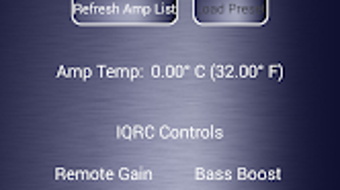
TweEQ features a clean, intuitive interface designed for efficient navigation and real-time adjustments. The layout organizes key controls logically, allowing users to access EQ settings, crossover parameters, and compression functions with minimal effort. The quick-start setup wizard guides users through initial calibration, reducing setup time and minimizing errors. Workflow efficiency is enhanced by the ability to save and recall configurations, enabling rapid transitions between different audio profiles.
Performance observations are based on general software behavior patterns. The application is optimized for Android devices and is designed to operate smoothly within standard system constraints. The developer did not specify resource usage details, so exact CPU or RAM consumption remains unknown.
However, the software’s compact file size of 24.5 MB suggests efficient memory management. Stability is expected to be consistent with standard Android app behavior, though real-world performance may vary depending on device hardware and background processes. No reported issues with crashes or freezes were mentioned in the provided information.
Compatibility & System Requirements
TweEQ is available for Android devices and supports the latest Android versions. The software is designed to function on modern smartphones and tablets equipped with compatible audio hardware. The installation size is 24.5 MB, indicating a lightweight footprint that minimizes storage impact. The developer did not provide additional system requirements, including specific processor, RAM, or storage specifications.
Compatibility information was partially provided. While the app is confirmed to run on Android, details about minimum OS version, supported audio interfaces, or hardware acceleration are not specified. Users are advised to ensure their device meets general Android app performance standards. For optimal results, it is recommended to use devices with high-quality audio output and sufficient processing power. The absence of detailed hardware requirements means users should rely on general compatibility expectations when installing the software.
Pros and Cons
Pros
- Studio-grade DSP tools for professional-level audio tuning
- Intuitive interface with a guided setup wizard
- Supports saving and loading audio configurations for quick switching
- Compact file size of 24.5 MB reduces storage burden
- Advanced features like time alignment and individual channel compression
Cons
- No detailed system requirements provided
- Performance metrics such as CPU or RAM usage were not disclosed
- Only available for Android, limiting cross-platform use
- Price point of $29.99 may be high for casual users
- Limited information on compatibility with external audio hardware
FAQ Section
Is TweEQ compatible with all Android devices?
TweEQ is designed for Android devices that support the latest operating system versions. While it is not confirmed to work on all devices, it is expected to function on modern smartphones and tablets with standard audio capabilities.
Is the software secure to download and use?
The application is developed by Stillwater Designs and distributed through official channels. No security risks were reported in the provided information. As with any third-party app, users should download from trusted sources to ensure safety.
How often are updates released for TweEQ?
The release date of the current version is 2024-07-10. The frequency of future updates has not been disclosed by the developer.
Does TweEQ require an internet connection to function?
TweEQ is designed to operate offline. Once installed, it does not require an active internet connection to perform audio processing or manage configurations.
What type of license does TweEQ use?
The software is sold as a one-time purchase with a price of $29.99. The exact license type, including usage rights and redistribution terms, was not specified in the provided details.
Final Thoughts + CTA
TweEQ by Stillwater Designs stands out as a powerful audio enhancement tool for Android users seeking professional-grade sound tuning. Its comprehensive feature set—ranging from 1/3 octave EQ and full crossover control to time alignment and channel-specific compression—makes it a versatile solution for both hobbyists and professionals. The inclusion of configuration file management adds significant value for users who manage multiple audio environments. While the lack of detailed system requirements and performance data limits full transparency, the software’s lightweight design and intuitive workflow suggest efficient operation on compatible devices.
Audio enthusiasts, studio engineers, and home theater users who demand precise control over their sound systems will benefit most from TweEQ. Its ability to deliver studio-quality processing on a mobile platform is a notable advantage. Despite the $29.99 price tag, the depth of functionality justifies the investment for serious users. Download TweEQ now and elevate your audio experience with precision tuning and professional-grade tools.
Download TweEQ APK now







